 BetsWall
Option 1 · In the BetsWall app
Delete your account in four steps
The following screenshots are loaded from the existing images/ folder on your website.
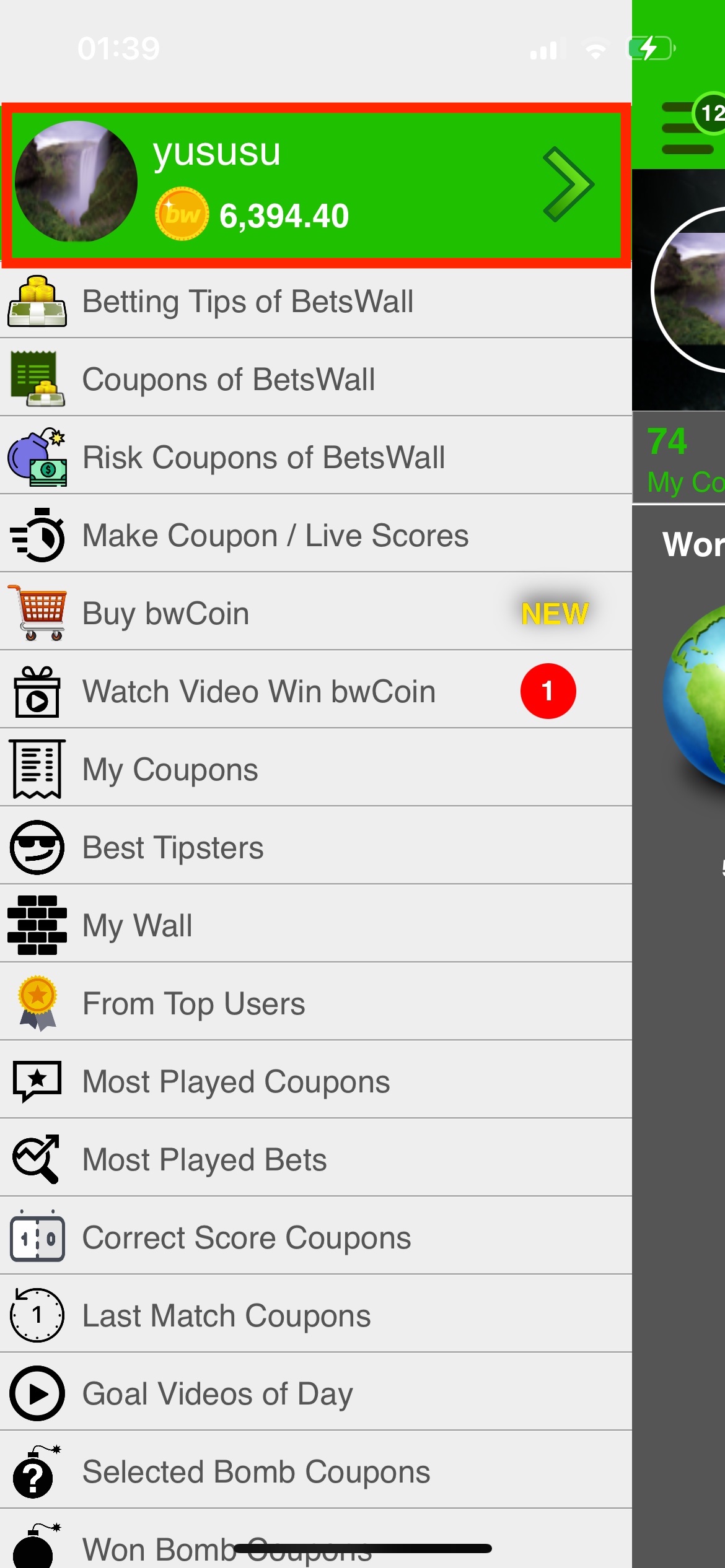
Go to your BetsWall Profile
Open the BetsWall app and sign in, then navigate to your profile.
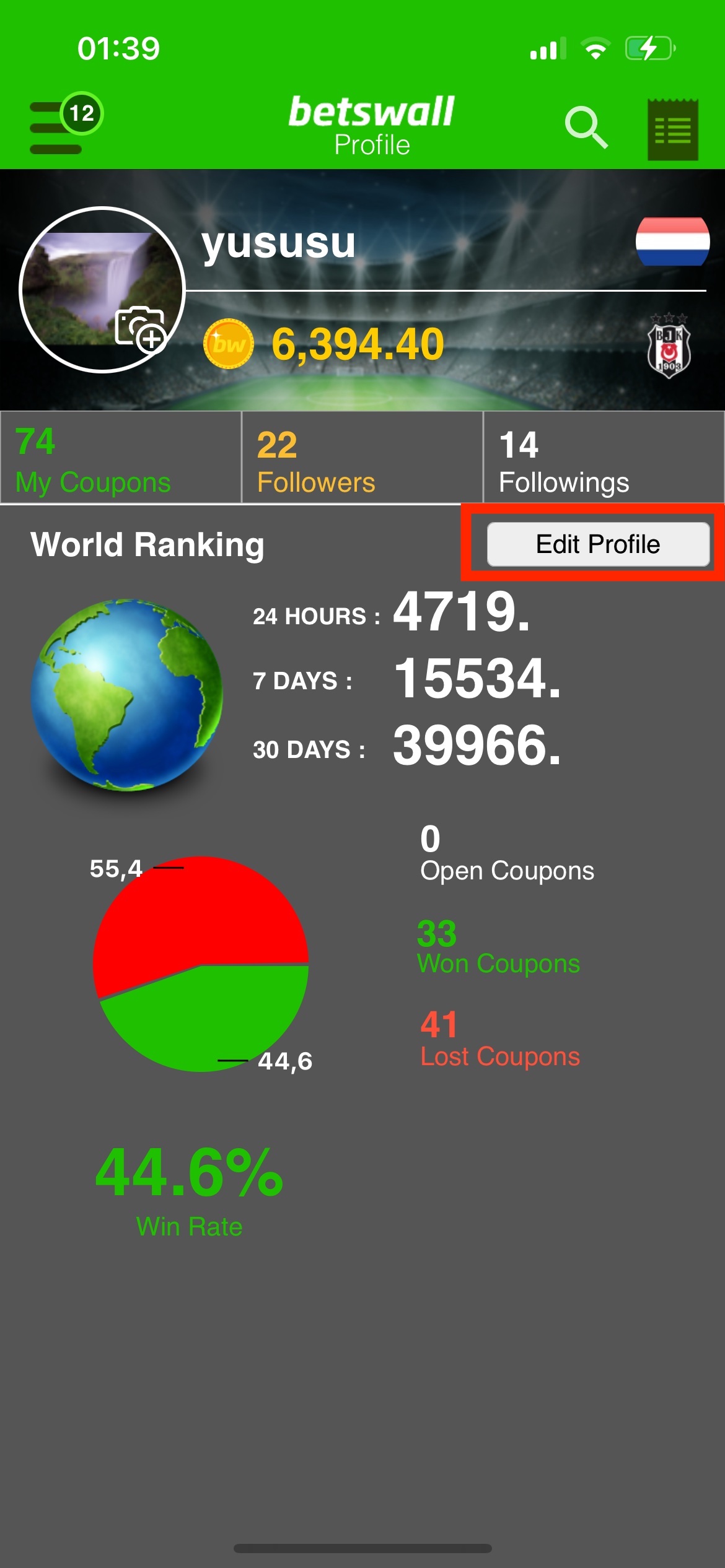
Open Edit Profile
Tap “Edit Profile” in your profile screen.
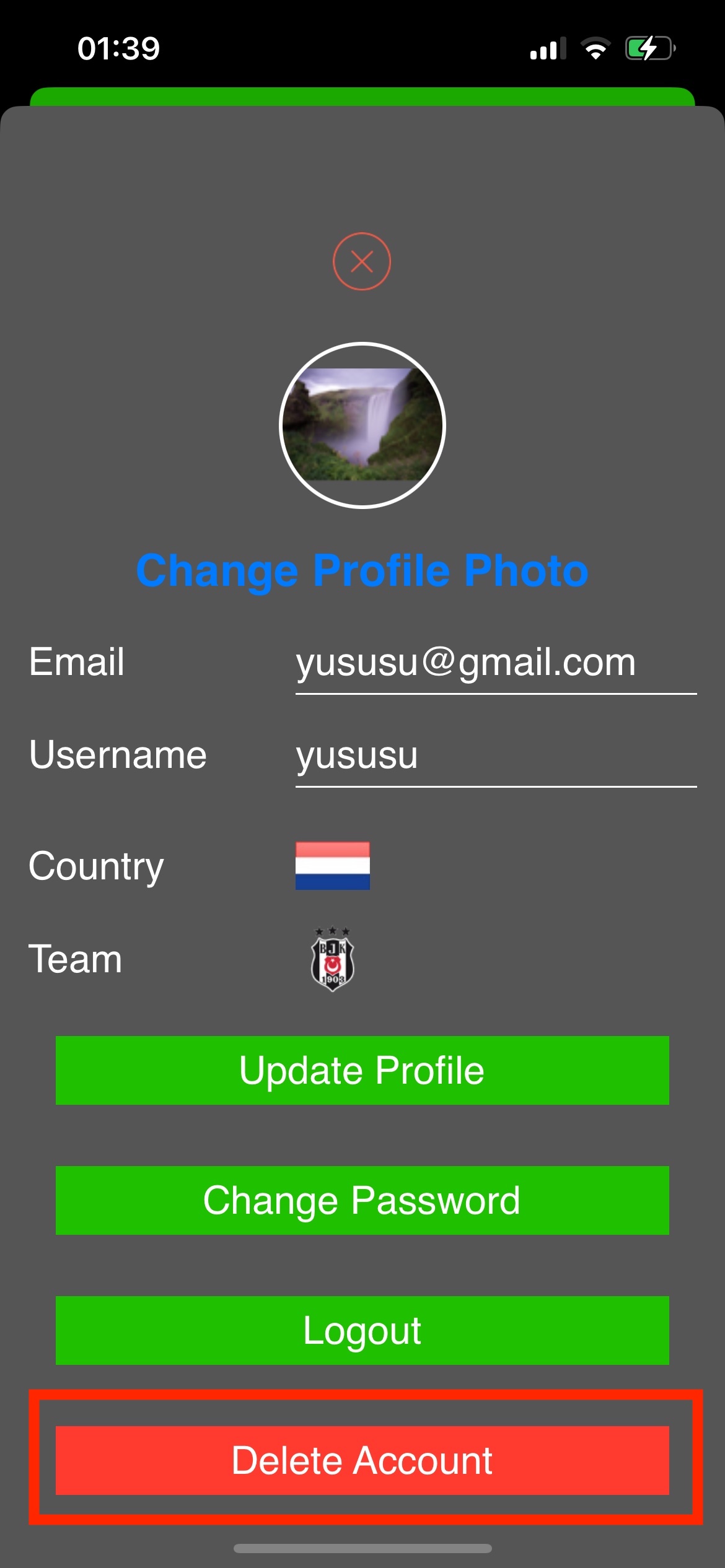
Choose Delete Account
Scroll or navigate to “Delete Account” and select it.
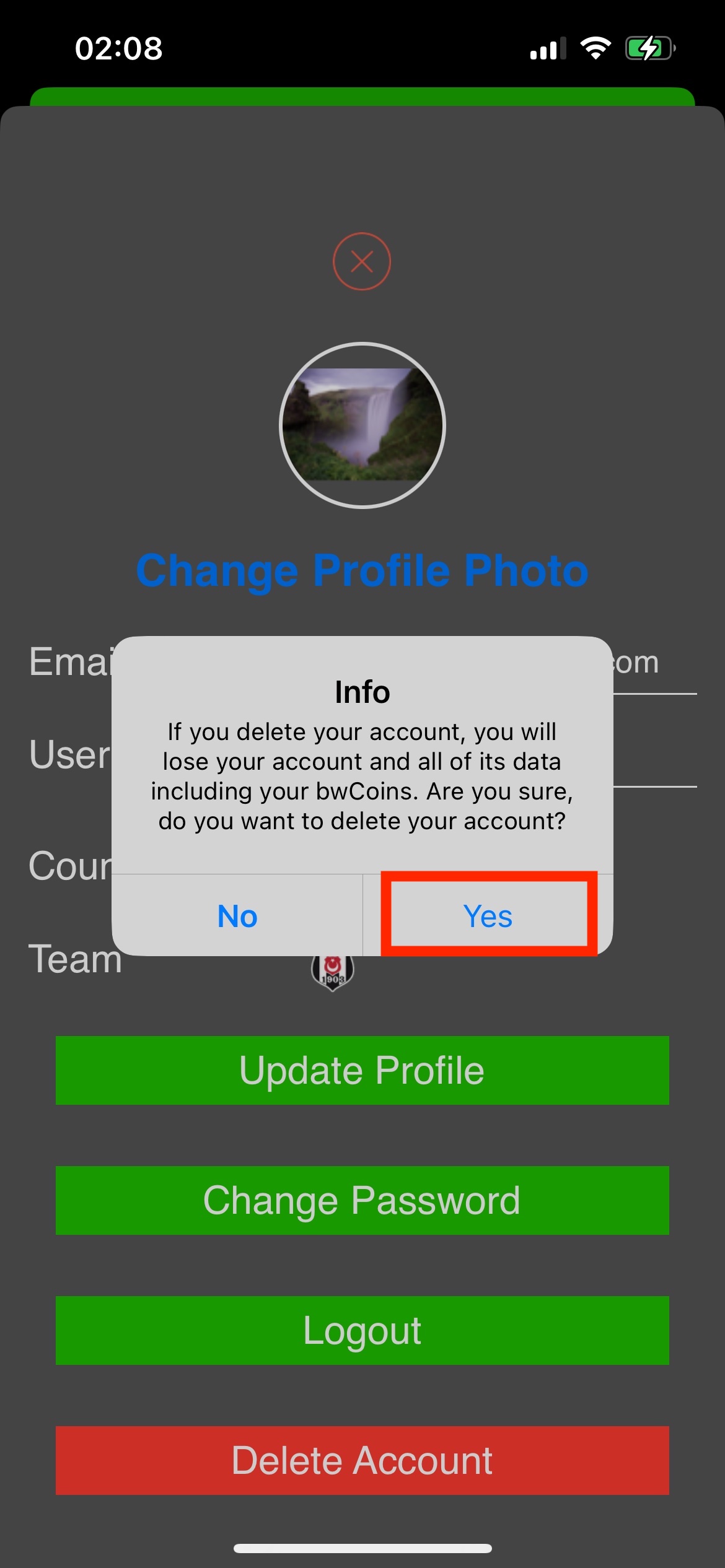
Confirm your request
Read the confirmation screen and approve deletion. Deletion is permanent once processed.
Option 2 · Can't access the app?
Request deletion by email
If you no longer have the app or cannot sign in, you can initiate a request to delete your BetsWall account and associated data from this page. Email us from the address associated with your account, if possible. Include “BetsWall Account Deletion Request” in the subject. Never send your password or payment card number.
We may need to verify that you own the account before processing the request.
Email an account deletion request ↗Or write directly to [email protected].
What happens to your data?
We delete or anonymize data associated with the account as required by applicable law, including account profile information and associated user-generated content. Limited records may be retained where required for security, fraud prevention, dispute resolution, or legal and accounting obligations. Read our data-retention policy for more information.
Important: Deleting your BetsWall account does not automatically cancel Apple or Google Play subscriptions. Manage them separately in Apple Subscriptions or Google Play Subscriptions.